 ORBIT, your AI partner
Learning Center
Learn Tanero, one step at a time.
Clear guides for every part of Tanero, with real screens. Each one says what you will do, the exact steps, and the answers to the questions realtors ask most. Signed in? Ask ORBIT “how do I…?” and it answers from these same guides.
Getting started
Sign in, find your way around and give ORBIT its first task.
Working with ORBIT
Talk to ORBIT, choose how often it checks with you, and see what it did.
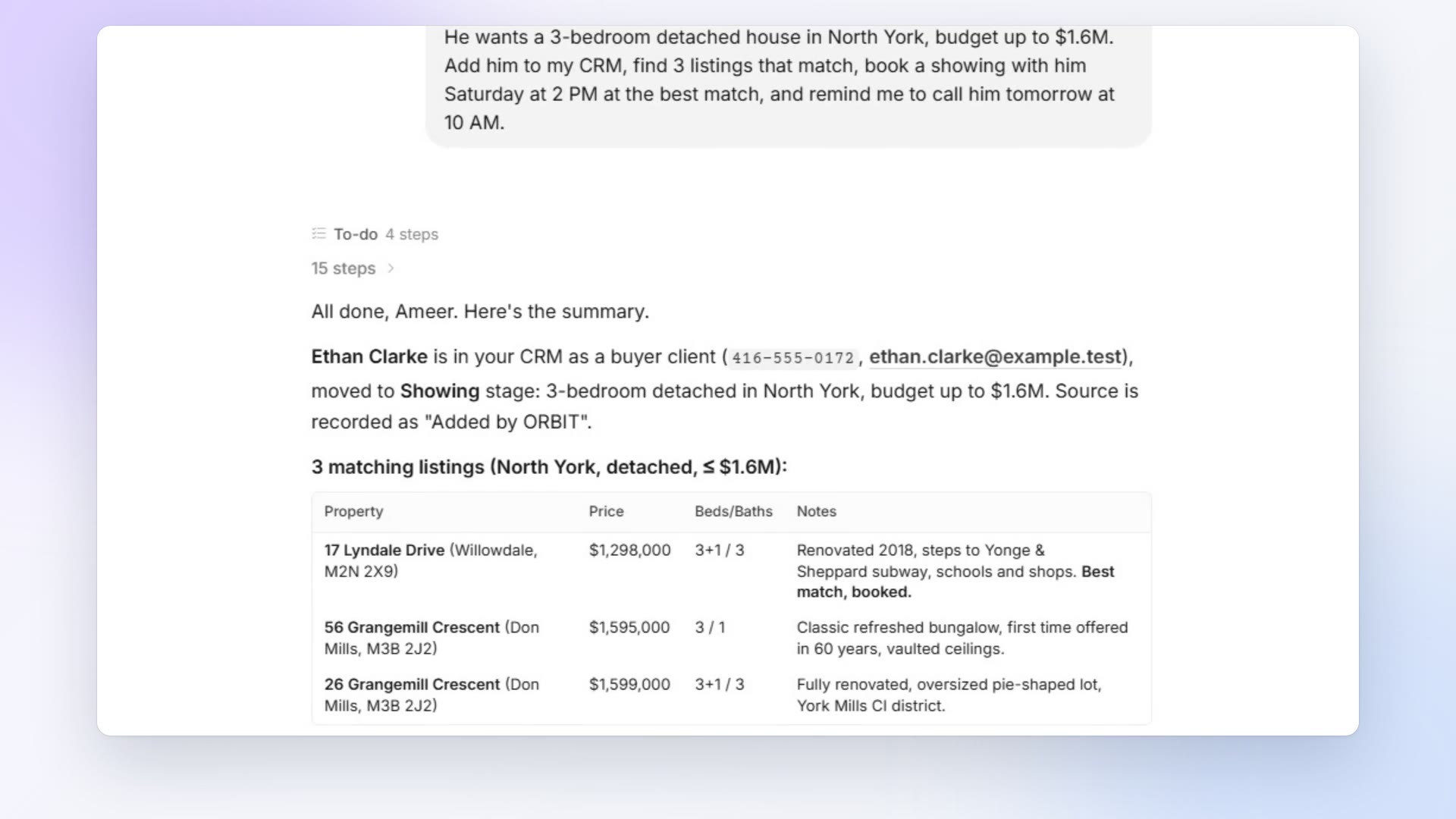
- Talk to ORBITBrief ORBIT in plain words, attach files, answer its questions and follow its task list while it works.
- Approvals and thinking speedChoose Approval or Auto for ORBIT and your whole team, approve its requests, and pick how long it thinks before answering.
- The Action CenterAnswer what waits for your OK, and send or edit the replies ORBIT and your AI Employees prepared.
- FeedsEverything ORBIT and your AI Employees did, one post per client, and how a comment tells ORBIT what to do next.
- Your AI team (AI Employees)Hire AI Employees in plain words, talk to them like colleagues, give them routines, and see their work in Feeds.
- Teach ORBIT how you workSee what ORBIT remembers about you, correct it, and add your own skills in plain words.
CRM and clients
Leads, deals, stages, notes, tasks, groups, documents and listings.
- Leads and clients in your CRMOpen your CRM, find anyone, add a new person and turn a lead into a client.
- Move deals through your pipelineThe real-estate stages, how to move a deal, close it as won or lost, track your commission and change the stages.
- Notes, tasks and the client timelineKeep notes on each client, plan tasks with due dates, and see every call, text, email and appointment on one timeline.
- Groups of clientsPut people into groups such as VIP buyers, then work with the whole group in one request.
- Merge duplicates and delete a clientMerge two records of the same person, and delete a client from everywhere in Tanero when you need to.
- Documents and contractsKeep offers, agreements and other files on each client's record, and let ORBIT find and read them.
- Match listings to a clientSearch live MLS® listings and find homes that fit a client's saved criteria with Instant Match.
Calls, texts and email
ORBIT answers and makes calls, texts from your number and emails from your own mailbox.
- ORBIT answers your callsTurn on ORBIT for your Tanero number, choose who answers first, and have callers put through to your verified mobile.
- ORBIT calls clients for youAsk ORBIT to call one client or a whole list with a clear goal, and get the results back in the conversation.
- Call from your browser with the DialerCall clients yourself from your Tanero number, work through a call list, and keep every call on record.
- Text clients from your Tanero numberTwo-way texting from your dedicated number: ORBIT sends texts, reads the replies and keeps every text on the client's record.
- Email from your own Gmail or OutlookConnect your mailbox once; ORBIT writes and sends from your own address, signs with your signature and follows the replies.
Calendar and scheduled work
Working hours, booking rules, appointments and jobs ORBIT runs on a schedule.
Website and property pages
Your website, your domain and landing pages for listings with their own link.
- Your websiteChoose a template, edit your pages and brand, check your SEO and connect your own domain.
- Your blog and testimonialsWrite articles for your website yourself or with ORBIT, publish them when you are ready, and show what your clients say.
- Property pages with a unique linkORBIT designs a landing page for a listing, with its own short link you can share, send or advertise, and redesigns it whenever you ask.
Apps, account and billing
Connected apps, notifications, settings, your plan and deleting your data.
- Connect your appsGive ORBIT access to the accounts you choose: email, calendars, documents, social pages and more.
- NotificationsChoose which ORBIT events alert you, and get browser alerts while Tanero is open in the background.
- Settings, plan and billingWhere every setting lives, how usage works, and how to change your plan, buy call minutes or cancel.
- Delete your account and dataDelete your Tanero account yourself or ask us by email, and know exactly what is removed and when.