 ORBIT, your AI partner
Calendar and booking rules
Set your working hours and booking rules so ORBIT only proposes times that suit you, and manage your appointments.
What you will do
Let ORBIT book showings and meetings for you, only at times that suit you.
Steps
Set your working hours
Open Agent tools & settings → Operating settings → Work schedule. Choose your Timezone (Toronto unless you change it), your working days and the hours you start and end. ORBIT checks these hours before proposing or booking an appointment.
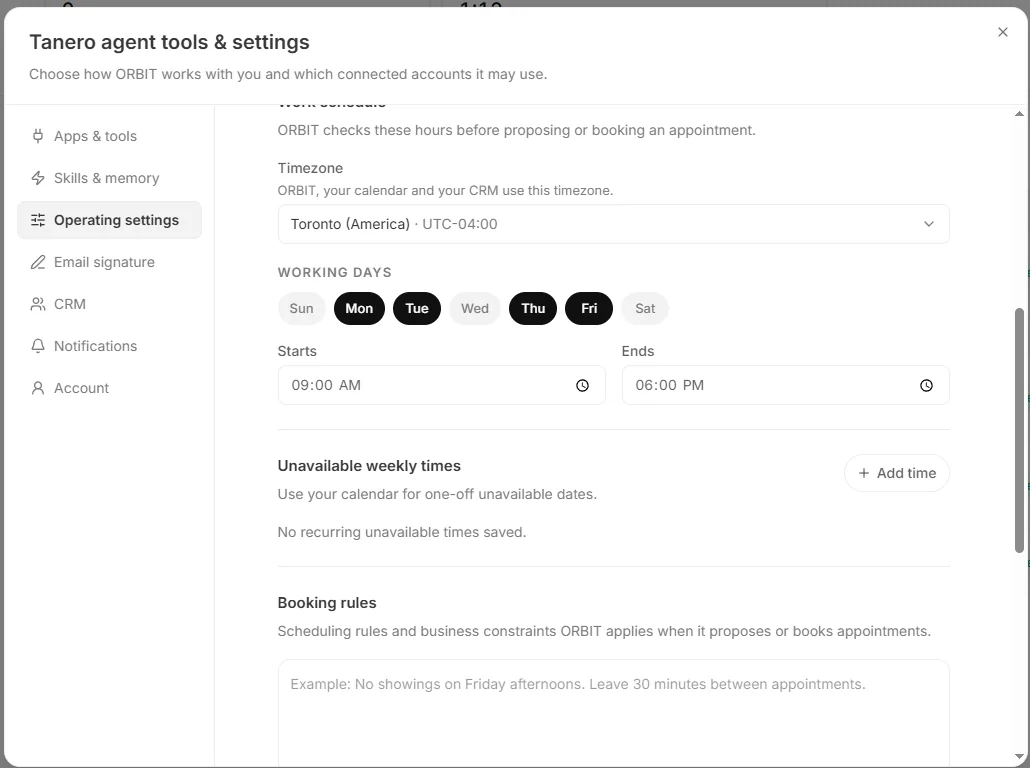
Work schedule, unavailable times and booking rules. Block recurring times
Under Unavailable weekly times, press Add time and pick the days, start, end and an optional reason, for example Office meeting. For one-off days off, use your calendar.
Write your booking rules
In Booking rules, write how you like to book in plain words, for example: “No showings on Friday afternoons. Leave 30 minutes between appointments.” Up to 1,500 characters. ORBIT reads them before it books.
Press Save operating settings.
Connect your calendar
In Apps & tools, connect Google Calendar or Outlook. ORBIT checks it for busy times, and you can tell ORBIT which calendar to add your appointments to: “Add my appointments to my Google Calendar.”
See and change appointments
Open Real estate → Calendar. Switch between Day, Week and Month, press Create appointment to add one, drag an appointment to move it, or open it to edit or delete it. Show or hide the Appointments, Follow-ups and Holidays in Canada layers.
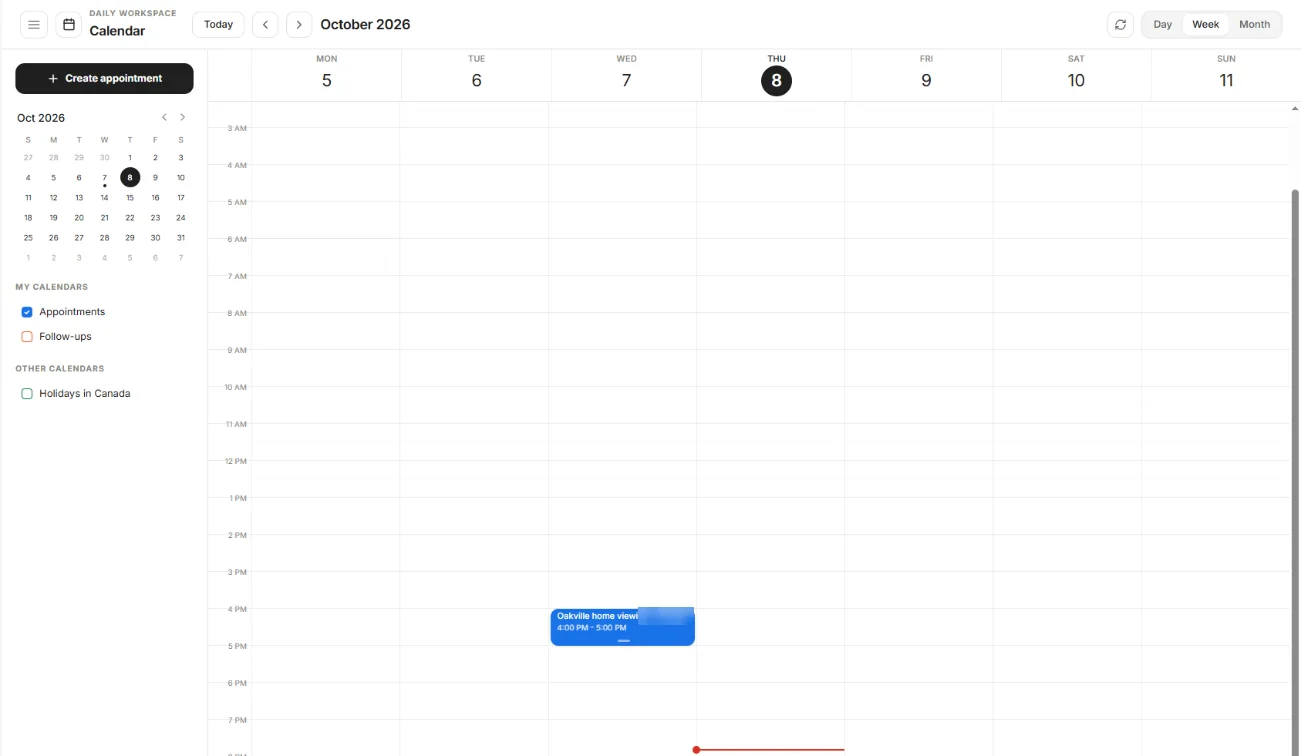
Real estate → Calendar. Let ORBIT book
ORBIT books from calls, texts, emails and your conversations: “Book a showing with Sarah Chen on Saturday at 11 at 24 Maple Crescent.”
When you give ORBIT an exact time yourself, it books it and tells you if it falls outside your hours or clashes with something.
Say it to ORBIT
You can also just ask. For example:
- “What's on my calendar tomorrow?”
- “Move my 3 pm with the Patels to Thursday at 5.”
- “Cancel Saturday's showing with Omar Haddad.”
Tips
- Your calendar decides real conflicts: keep personal events there so ORBIT sees you are busy.
Questions
Can clients book on their own?
There is no public booking link. Clients call, text or email, and ORBIT books inside your hours and rules.
Can ORBIT book a client for today?
When a client asks, ORBIT books from tomorrow onward. You can still book today yourself.
What is the difference between cancelling and deleting an appointment?
A cancelled appointment stays in the history as cancelled. A deleted one is removed.
Something not covered here? Ask ORBIT, or write to [email protected]. All guides