 ORBIT, your AI partner
Email from your own Gmail or Outlook
Connect your mailbox once; ORBIT writes and sends from your own address, signs with your signature and follows the replies.
What you will do
Have ORBIT email clients from your own address, with your signature, and keep each email on the client's record.
Steps
Connect your mailbox
Open Agent tools & settings → Apps & tools. Find Gmail or Outlook and press Connect, then sign in with that provider and allow access.
Back in Tanero, reopen Apps & tools to check it shows Connected.
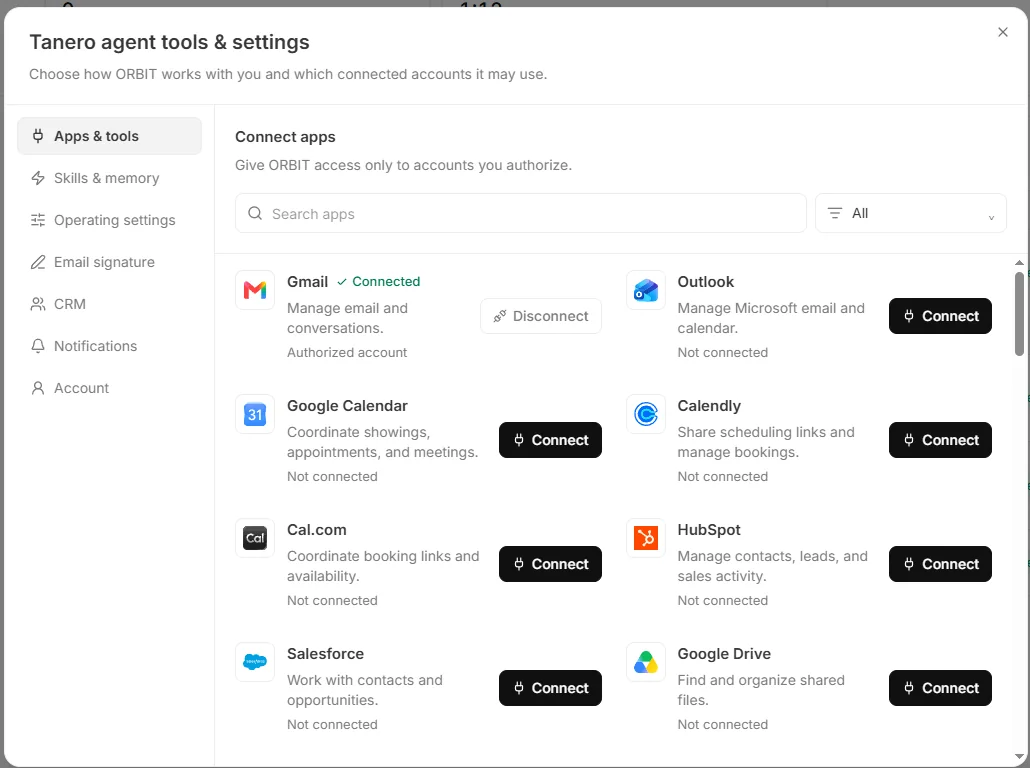
Agent tools & settings → Apps & tools. Set your signature
Open Agent tools & settings → Email signature. Tick what to include (Name, Title, Brokerage, Phone, Email, Website, Address), add an optional Extra line, check the Preview, then press Save signature. The values come from your Profile.
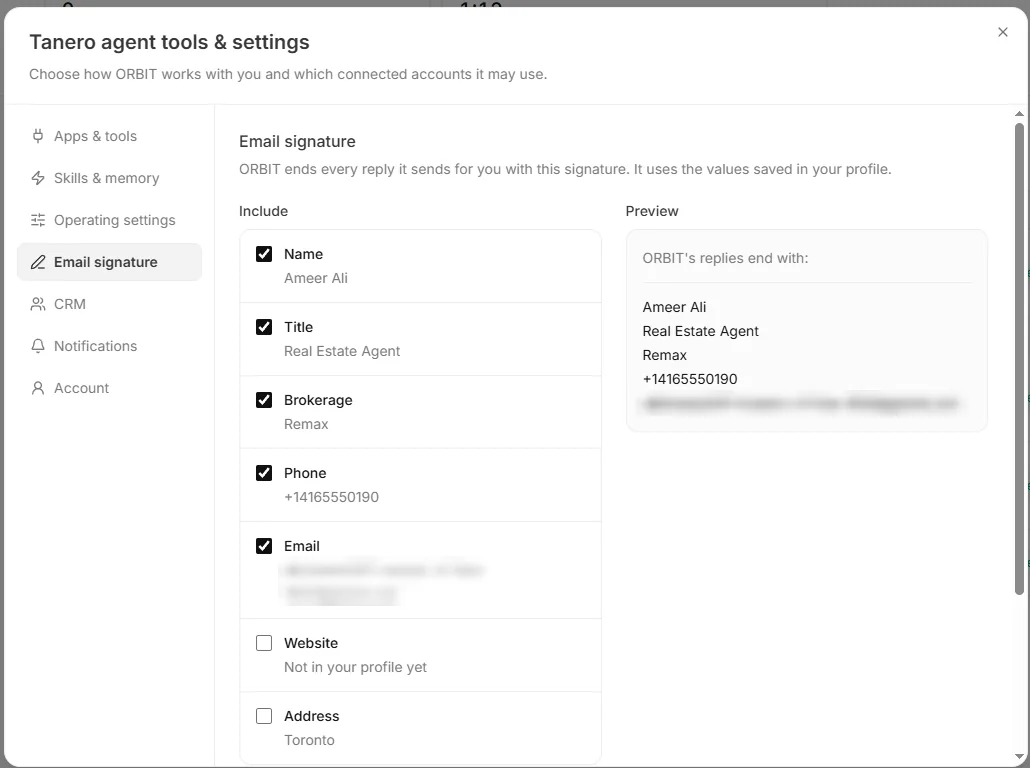
Agent tools & settings → Email signature. The email address is blurred. Ask ORBIT to email
“Email the Patels the three listings we discussed and ask which ones they want to see.” ORBIT writes and sends from your own address, so clients see your email and replies come back to your mailbox. The sent email is recorded on the client's record.
Replies
With Gmail connected, a new reply from a client wakes ORBIT. In Auto mode ORBIT answers it; in Approval mode ORBIT prepares a reply for you in the Action Center.
Newsletters, promotions and no-reply senders are ignored. Real people who are new to you are added as leads.
Disconnect
Press Disconnect next to the mailbox in Apps & tools. ORBIT can no longer use it.
Tips
- Add your licence line, for example “Licensed in Ontario”, as the Extra line of your signature.
Questions
Will ORBIT email someone who unsubscribed?
No. People who unsubscribed, whose email bounced or who are marked do not contact are skipped.
Does Tanero keep my emails?
Tanero records each email ORBIT sends or receives for a client on that client's timeline. Your mailbox itself stays with your provider.
Something not covered here? Ask ORBIT, or write to [email protected]. All guides