 ORBIT, your AI partner
Your website
Choose a template, edit your pages and brand, check your SEO and connect your own domain.
What you will do
Have a professional realtor website that ORBIT keeps up to date for you.
Steps
Choose a template
Open Real estate → More… and, under Website & presence, open Site Templates. Choose Homelist Modern or Homelist Elegance. Both have Home, Properties, About, Services, Contact and Calculator pages, listing search and a chat for visitors.
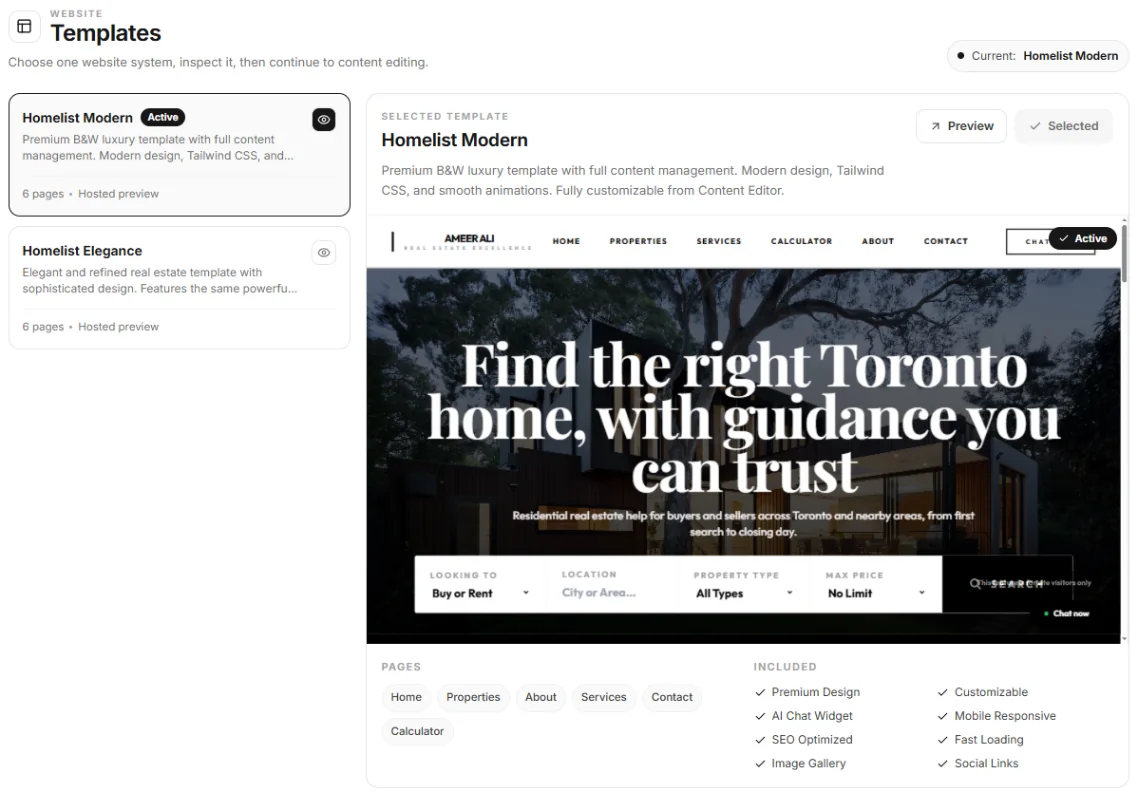
Site Templates. Edit your pages and brand
Use Site Pages to edit your pages, and Website Preview to see your site on desktop, tablet and phone and open the Visual Editor.
Or ask ORBIT
“Change my homepage headline to ‘Your next home in Oakville’.” “Check my website's SEO and fix the titles.” ORBIT edits your pages and checks each change after saving it.
Check your SEO
SEO (Google Search) shows each page's score out of 100 and suggestions to improve it.
Your web address
Your website lives at your Tanero address, which ends with your account handle. Set the handle in Profile → Account handle: 3 to 30 lowercase letters, numbers, - or _. You can change it once every 30 days.
Connect your own domain
Open Custom Domain, type your domain (for example homes.yourdomain.com), choose how it is routed and press Connect. Add the DNS records shown at your domain registrar, then press Check.
When everything is verified, the status shows Domain connected. Disconnect removes the domain; your website stays live at its Tanero address.
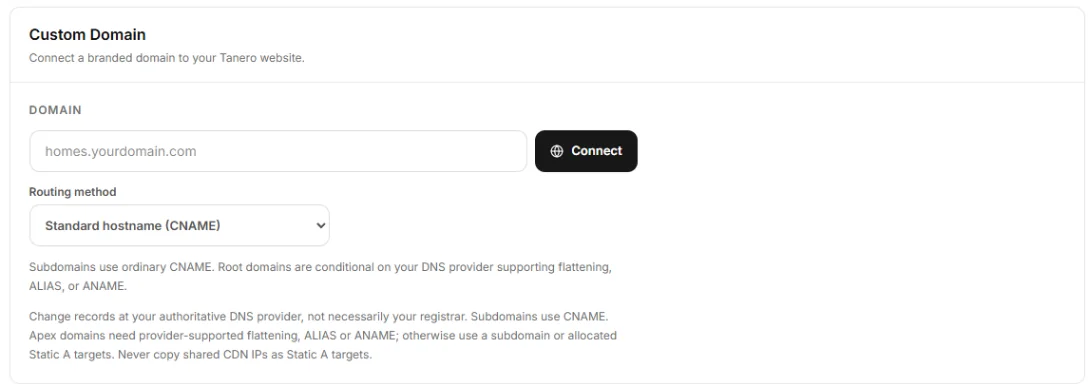
Custom Domain.
Say it to ORBIT
You can also just ask. For example:
- “Check my website's SEO.”
- “Connect my domain homes.example.com.”
- “Is my domain connected yet?”
Tips
- DNS changes can take a while to spread. If Check does not pass yet, try again later.
Questions
Can I connect more than one domain?
One custom domain per website. Disconnect the current one before you connect another.
Do my property pages use my domain?
Yes. Once your domain is connected, the links of your property pages use it.
Something not covered here? Ask ORBIT, or write to [email protected]. All guides