 ORBIT, your AI partner
Teach ORBIT how you work
See what ORBIT remembers about you, correct it, and add your own skills in plain words.
What you will do
Make ORBIT work your way: check what it remembers and give it your own step-by-step skills.
Steps
Open Skills & memory
Press Agent tools & settings in the sidebar, then Skills & memory.
Check what ORBIT learned
The What ORBIT learned tab lists About you and Notes ORBIT keeps. Use Edit to correct an entry or Delete to remove it.
Tell ORBIT in the conversation
The easiest way to teach ORBIT is to say it: “Keep my texts to clients short and warm.” ORBIT keeps preferences like this in its memory.
Add your own skill
Open Added by you and press New skill. Give it a Skill name, a one-sentence Skill description that says when ORBIT should use it, and the Skill instructions in plain words, step by step. Save it.
You can edit, switch off or archive your own skills. Archiving is permanent.
Skills built into ORBIT
Built into ORBIT lists the skills Tanero keeps current for you. ORBIT always has them, and they cannot be changed.
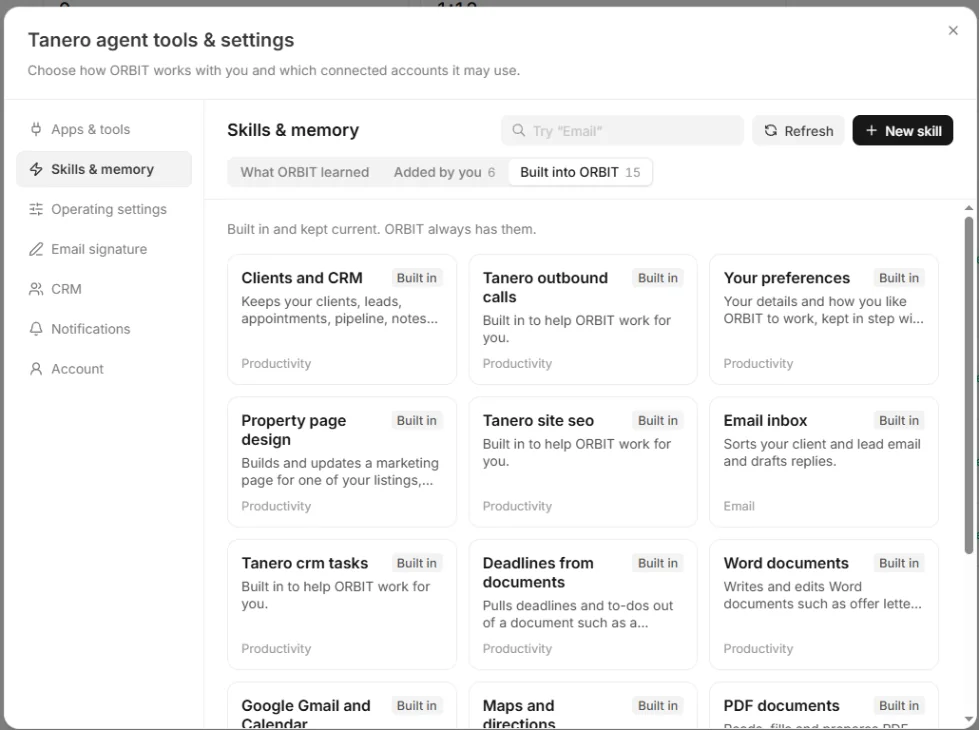
Skills & memory, Built into ORBIT tab. Personal preferences
Agent tools & settings → Operating settings → Personal preferences holds choices such as ORBIT's personality and language, what ORBIT does when you message it while it is working, and whether it tells you when it remembers something new. Press Save settings.
Tips
- Keep each skill to one job, for example a skill called Client follow up: “1. Greet the client by name. 2. Keep it under 80 words.”
Questions
Can I make ORBIT forget something?
Yes. Delete the entry under What ORBIT learned.
Where do booking preferences go?
Rules about when you book appointments go in Booking rules. See Calendar and booking rules.
Something not covered here? Ask ORBIT, or write to [email protected]. All guides