 ORBIT, your AI partner
Call from your browser with the Dialer
Call clients yourself from your Tanero number, work through a call list, and keep every call on record.
What you will do
Make your own calls from your business number, with every call logged and recorded.
Before you start
- A paid plan, your Tanero number and call minutes. Dialer and ORBIT calls share the same minutes.
Steps
Open the Dialer
In the sidebar, open Real estate → Dialer. The header shows the number you are calling from.
Place a call
Type or paste a number in Phone number, or use the keypad, then press Call. A label shows whether the number belongs to a Tanero client. During the call you can Mute and Hang up.
If your browser asks to use your microphone, allow it.
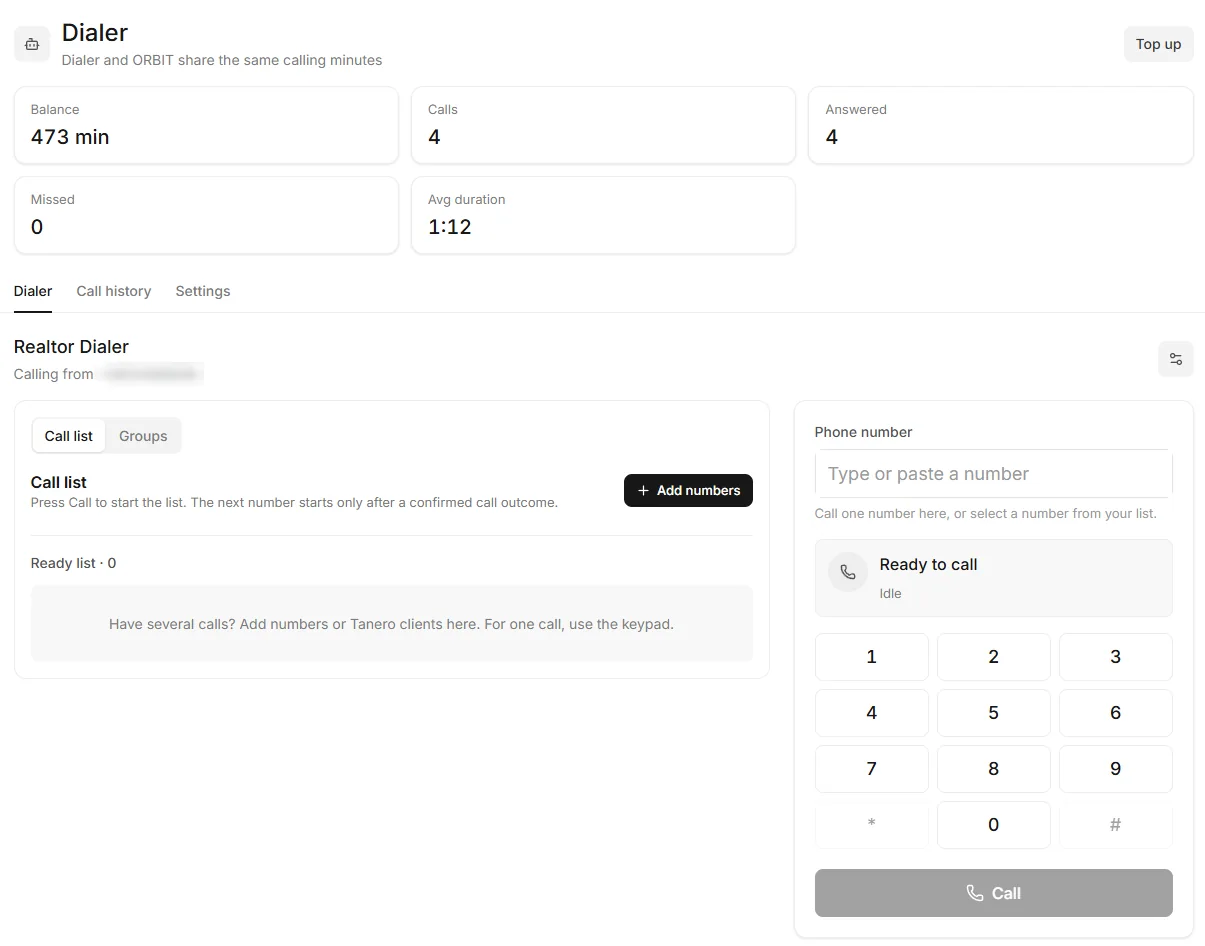
The Dialer. The number is blurred. Call from a client's record
Press Call on a lead or deal in the CRM. The Dialer opens with the number filled in; it never dials by itself.
Work through a call list
Open Call list → Add numbers. Paste numbers, choose Tanero clients or load a Saved groups list, then Add to call list. Press Call to start.
The next number starts only after the last call's outcome is confirmed. Pause, Skip to next number and Stop list are there when you need them.
Save a list for later
Save group keeps a list of numbers. Groups → Load group brings it back without dialing. You can keep up to 30 groups of up to 200 numbers each.
Review your calls
The Call history tab lists every Dialer and ORBIT call, incoming and outgoing, grouped by day. Open one to play the recording, read the summary and transcript, or Open client profile.
Tips
- Below 10 minutes you see Low balance. Press Top up to buy more minutes.
Questions
Are Dialer calls recorded?
Yes. Dialer calls are recorded and listed in Call history.
Can I call from my own phone instead of the browser?
The Settings tab has Outgoing call destination (Browser or External phone). If it says the phone bridge must be enabled first, call from the browser.
The Dialer says calling is not available.
Calling needs a paid plan and a dedicated number. If your number is still being provisioned, try again later.
Something not covered here? Ask ORBIT, or write to [email protected]. All guides