 ORBIT, your AI partner
Sign in and find your way around
Sign in to Tanero, reset a forgotten password, learn what each part of the sidebar does and give ORBIT its first task.
What you will do
Sign in to your workspace, know where everything lives, and give ORBIT its first task.
Before you start
- A Tanero account. Sign-up opens at launch; until then, book a demo and the team sets you up.
Steps
Sign in
Go to tanero.ca/login. Type the Email and Password of your account and press Sign in.
Tanero signs in with your email and password.
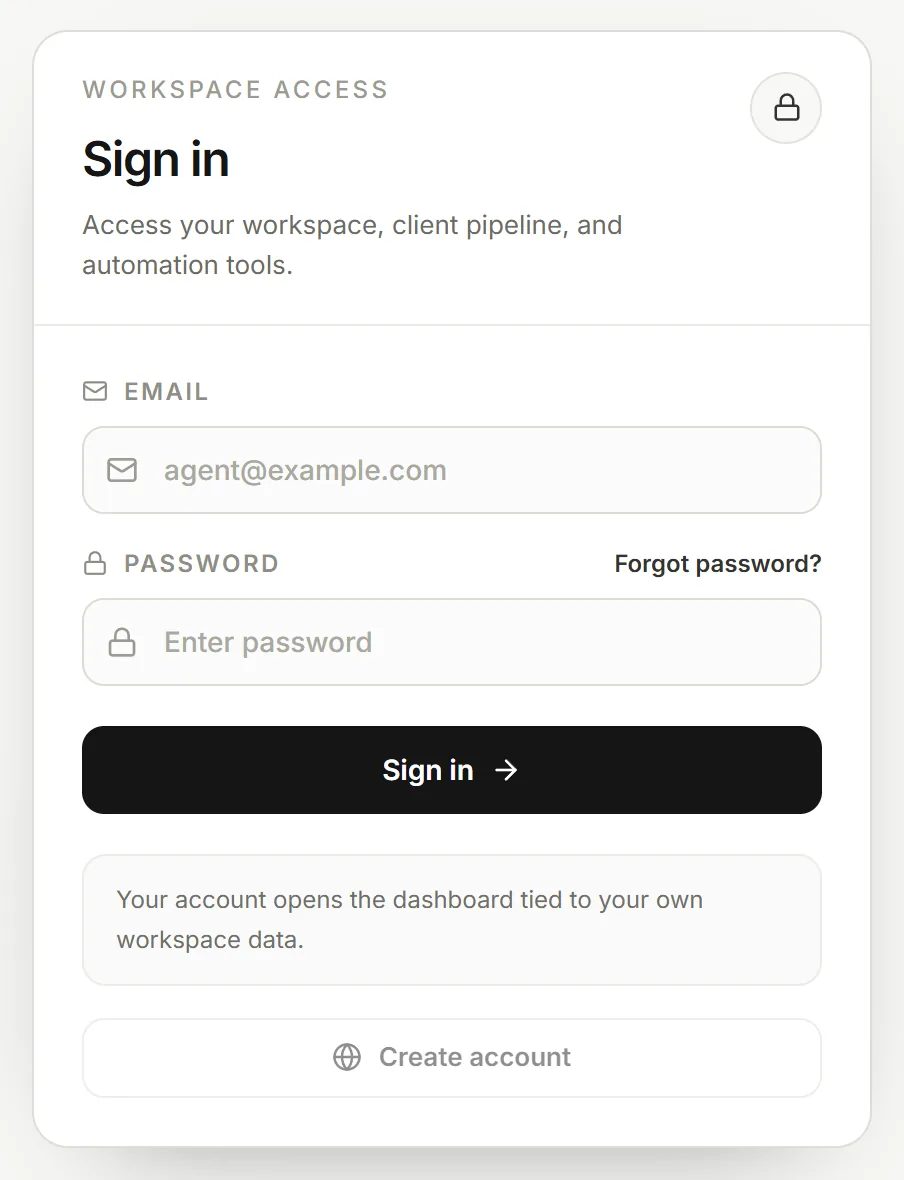
The sign-in page. Reset a forgotten password
Press Forgot password?, type your account email and press Send reset link. If an account exists for that email, a reset link arrives shortly. The link works for 30 minutes.
Open the link, type a New password (at least 12 characters), type it again in Confirm password and save. Resetting signs you out on every device; then press Continue to sign in.
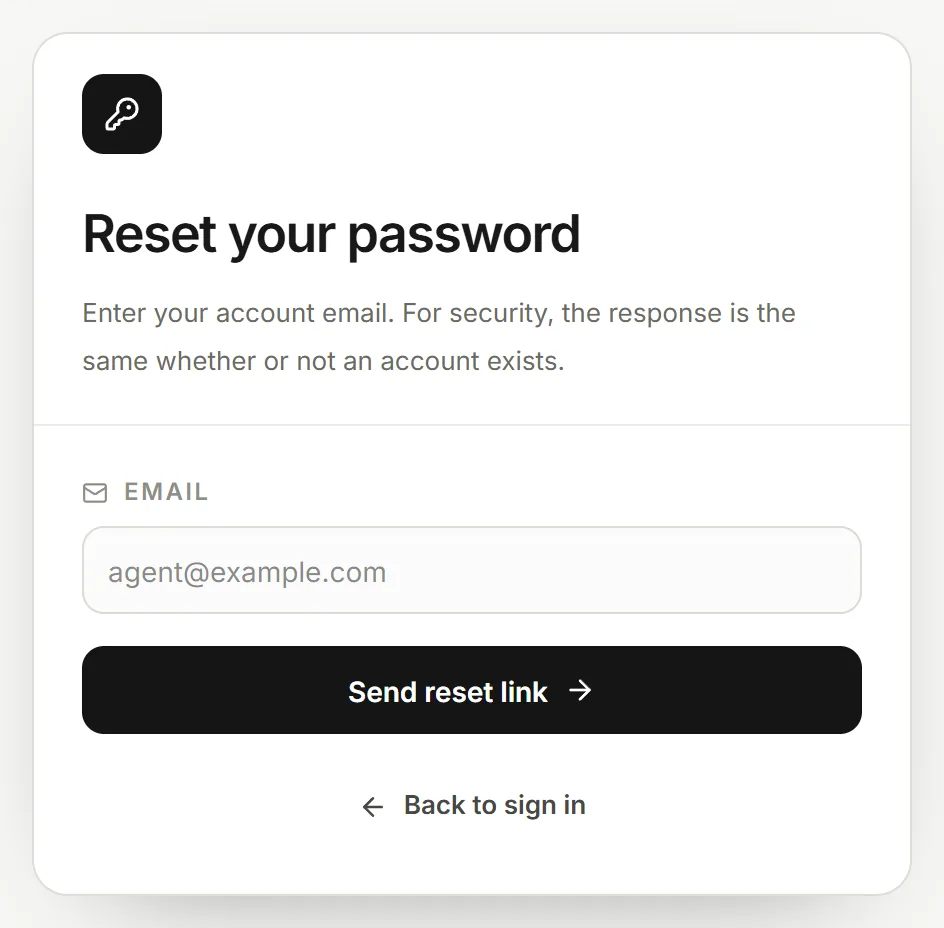
Reset your password. The first visit: a short setup
The first time you sign in, a short setup walks you through what Tanero gives you. Add only what you want now (name, phone, market, company, role and public handle), choose a website template, Homelist Modern or Homelist Elegance, and press Save and enter.
While your private server is prepared, a progress window shows how far along it is.
Know the sidebar
New session starts a new conversation with ORBIT (Ctrl+N, or ⌘+N on a Mac).
Feeds is your home: one post per client with everything ORBIT and your AI Employees did (Feeds). Action Center keeps what waits for your OK; its number counts the items waiting. Team holds your AI Employees and groups (Your AI team).
CRM opens Leads, Deals, Contacts, Notes, Tasks, Call Logs, Commissions and Pending commissions. Real estate opens Calendar, Dialer, Documents, Instant Match and More… for every other tool. Scheduled holds the jobs ORBIT runs on a schedule. Agent tools & settings opens your settings.
At the bottom: the notification bell, and your account button with Profile, Billing, Usage & PAYG, Log out and your Tanero number (with a Copy button).
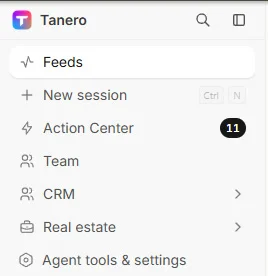
The sidebar. 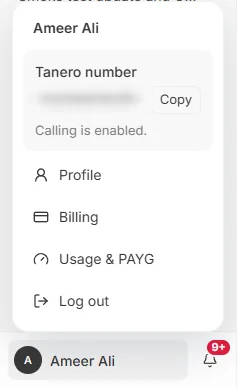
The account menu at the bottom of the sidebar. The number is blurred. Give ORBIT its first task
Type in the box at the bottom in plain words and press Enter, for example: “Who needs my attention first today?”
On a new conversation you can also click one of the starter cards: Prioritize leads, Review pipeline, Prepare appointments or Plan follow-ups.

The message box at the bottom of every conversation. Find an earlier conversation
Your conversations are listed under Conversations in the sidebar. Press the search icon (or Ctrl+Shift+F) and type to find one.
The … menu on a conversation lets you Pin, Rename, Archive or Delete it.
Say it to ORBIT
You can also just ask. For example:
- “What can you do for me?”
- “Who needs my attention first today?”
Tips
- Your Tanero number is in the account menu at the bottom of the sidebar. Press Copy to share it.
- Times in Tanero follow the timezone in Agent tools & settings → Operating settings (Toronto time unless you change it).
Questions
Can I sign in with Google?
No. Tanero signs in with your email and password. Connecting Gmail or Google Calendar in Apps & tools gives ORBIT access to those accounts; it is not a way to sign in.
How do I get an account?
Sign-up opens at launch. Until then, book a demo and the team sets you up.
The reset email did not arrive.
Check your spam folder. For your safety Tanero sends at most 3 reset emails an hour to one address, and each link works for 30 minutes. If it still does not come, write to [email protected].
Why does Tanero open the plan page instead of my workspace?
Your trial ended, a payment failed or the plan was cancelled. Choose or fix your plan on that page and your workspace opens again. See Settings, plan and billing.
Something not covered here? Ask ORBIT, or write to [email protected]. All guides