 ORBIT, your AI partner
Approvals and thinking speed
Choose Approval or Auto for ORBIT and your whole team, approve its requests, and pick how long it thinks before answering.
What you will do
Set how much ORBIT checks with you before it acts, and how quickly it answers.
Steps
Choose an approval mode
Press + in the message box, then Approvals: it shows your current choice. Choose:
Approval: your request is the go-ahead; what ORBIT and your team start on their own waits for you in the Action Center.
Auto: ORBIT and your team also act on their own and tell you what they did. Deleting and paying always ask first, in either mode.
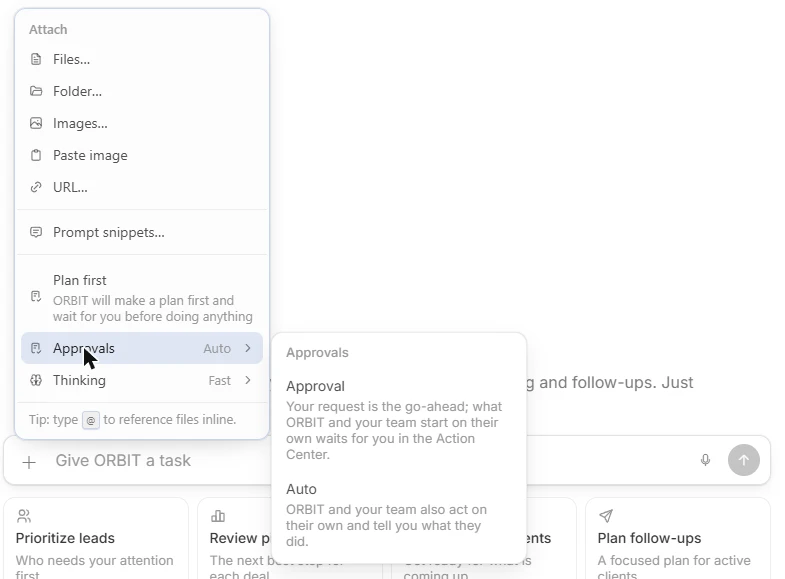
Approvals in the + menu. Approve or decline a request
When ORBIT needs your OK, it shows ORBIT needs your OK with what it is about to do. Press Approve (Ctrl+Enter) to let it go ahead, or Decline (Esc) to stop it.
Deleting anything always asks you first, in either mode.
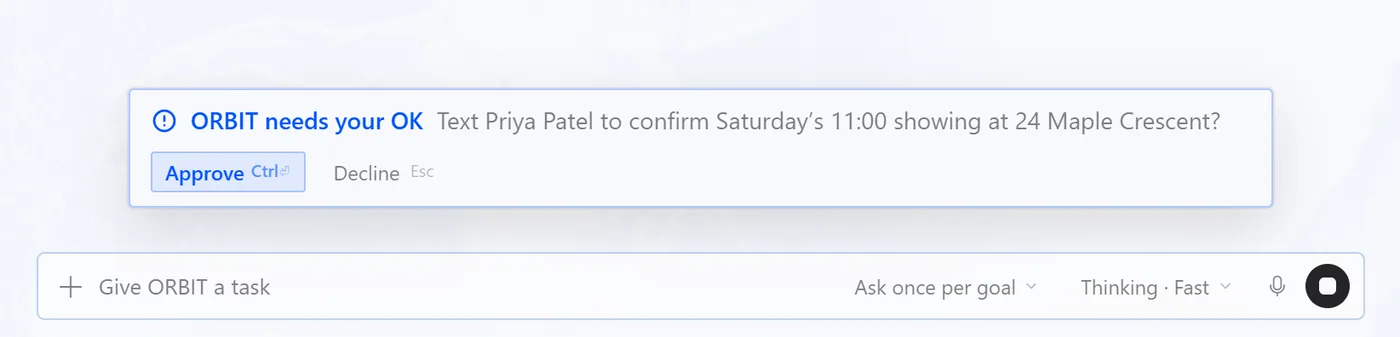
An approval request above the message box. The same choice in Settings
Agent tools & settings → Operating settings → Operating mode holds the same one setting, for ORBIT and your whole team. Change it in either place.
If ORBIT is in the middle of work, a new mode starts when that work finishes.
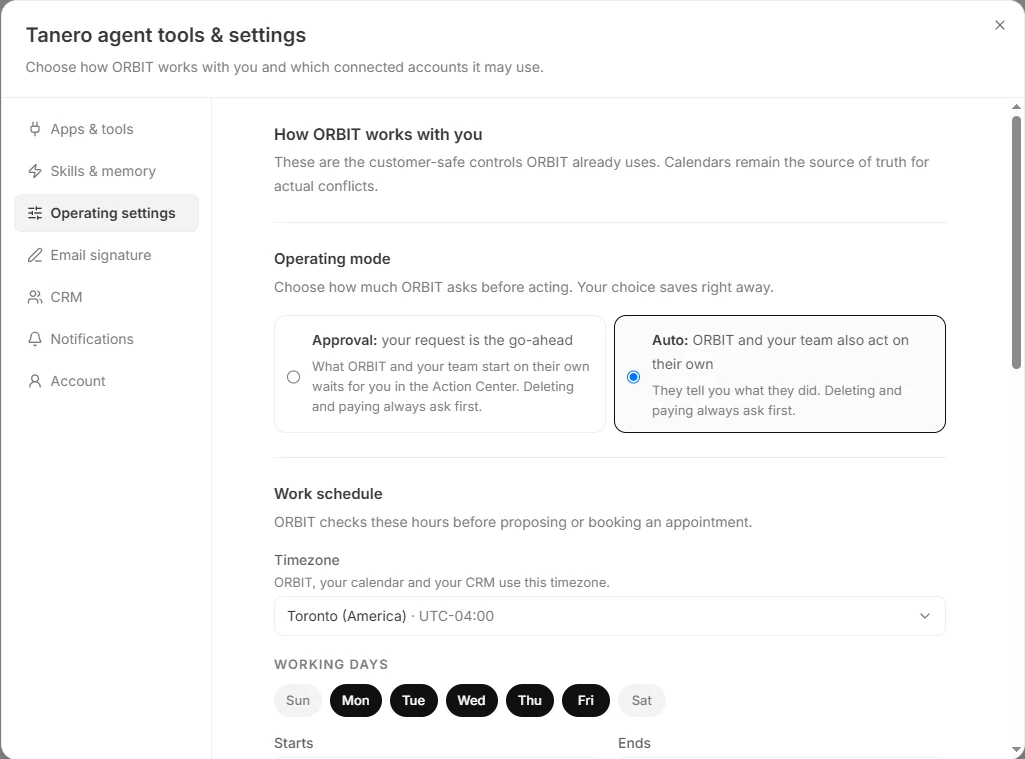
Agent tools & settings → Operating settings. Choose a thinking speed
Press + in the message box, then Thinking:
Fast: quickest replies, with the same skills and control.
Balanced: thinks a little longer before replying.
Deep: thinks longest, for the hardest requests.
More thinking adds response time. Fast is just as capable and in control; it only trades depth for speed.
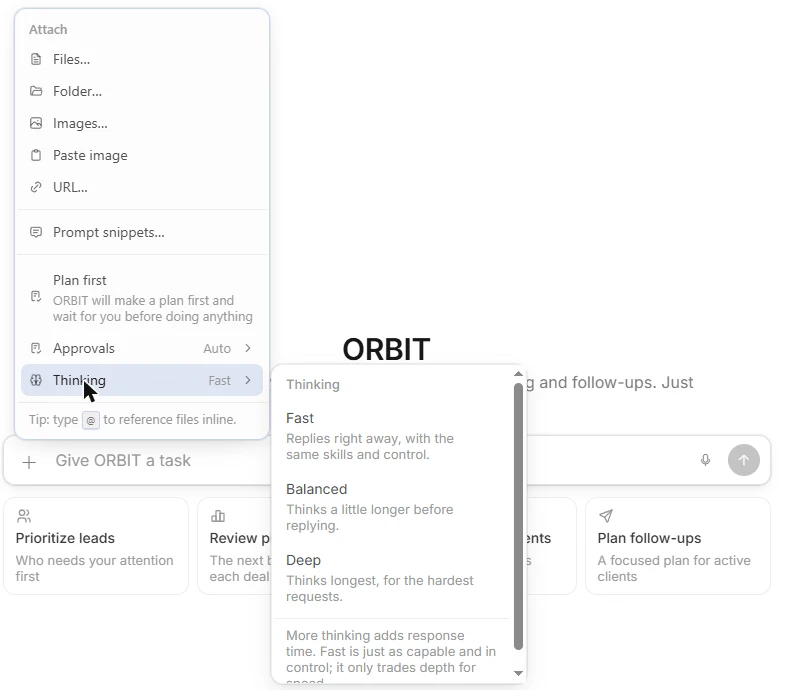
Thinking in the + menu. Where the thinking speed applies
Your choice applies to the open conversation right away, and to the new conversations you start on this device.
Tips
- Start with Approval while you get to know ORBIT, then switch to Auto for routine work.
- Use Deep for long plans and large batches of work; keep Fast for everyday requests.
Questions
What is a sensitive action?
Something only you should decide, such as a price negotiation, an offer, a legal or contract question, or deleting data. ORBIT brings these to your Action Center instead of acting alone.
Is Fast less capable?
No. Fast has the same skills and the same control. It answers sooner because it spends less time thinking.
My change did not apply.
If ORBIT is busy, a new approval mode starts when the current work finishes. If you see that ORBIT did not apply the change, try again in a moment.
Something not covered here? Ask ORBIT, or write to [email protected]. All guides