 ORBIT, your AI partner
Never miss a call: how ORBIT answers, puts callers through and calls clients for Ontario realtors
ORBIT answers your Tanero number day and night in 100+ languages, puts callers through to your mobile when they ask for you, takes them back after 20 seconds if you are busy, and calls clients for you.
On this page
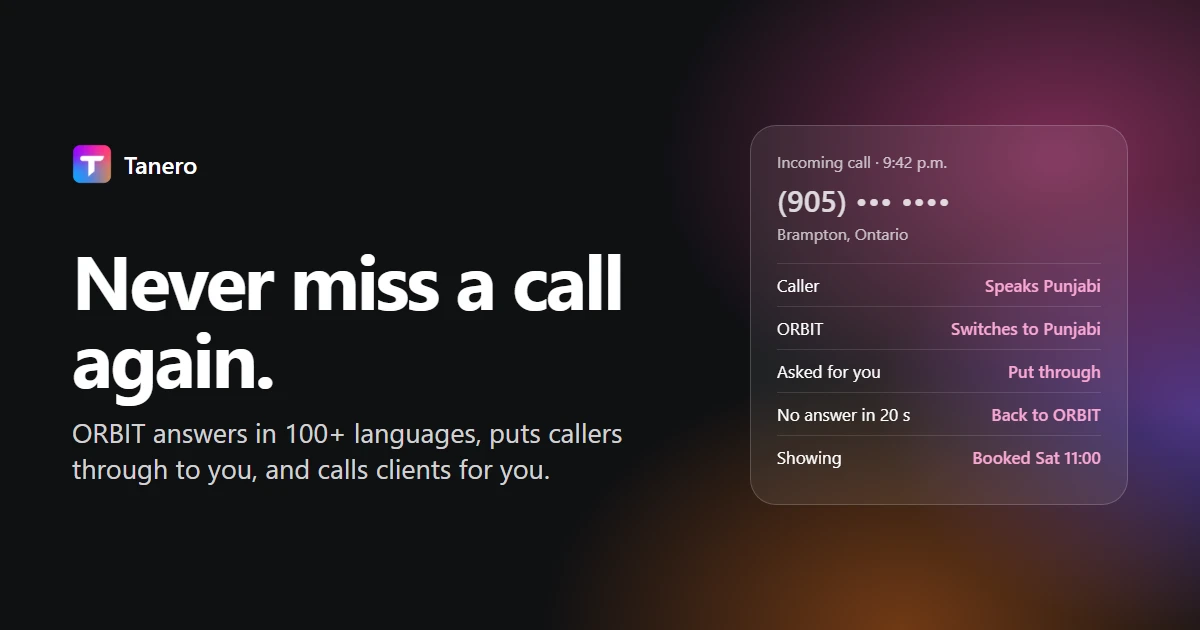
Tanero gives every realtor in Ontario a dedicated local business number that ORBIT, Tanero's AI partner, answers day and night in 100+ languages. When a caller asks for you, ORBIT gathers who they are and why they called, then puts them through to your mobile; if you do not take the call within 20 seconds, the caller goes back to ORBIT, which carries on with the work.
ORBIT also places calls for you, from one client to a list of up to 100, and you keep a browser dialer for the calls you want to make yourself. Every call is recorded, transcribed and summarized on the client's record in your CRM.
The short version
- Answers every call, at any hour, on your Tanero number, in 100+ languages.
- You choose who answers first: ORBIT, or your own mobile for about 20 seconds before ORBIT picks up.
- Puts callers through to you live when they ask for you, after gathering why they are calling.
- Comes back to ORBIT if you do not take the call within 20 seconds, so no caller is left hanging.
- Books showings during the call, inside your work schedule and booking rules.
- Calls clients for you: call-backs, showing confirmations and whole lists, in each person's language.
- A browser dialer for your own calls, with call lists and saved groups.
- Every call on record: recording, transcript and summary, and new callers added to your CRM.
Why every unanswered call matters
A buyer who calls about a listing at 9:40 p.m. and reaches voicemail calls the next number on the sign. A seller who asks a question in Punjabi or Mandarin and hears only English may not call back. Realtors spend their days in showings, meetings and the car, and the calls that matter most rarely come at a convenient time.
ORBIT answers those calls the moment they come in, asks the questions you would ask, and either books the next step or puts the caller through to you.
How ORBIT answers your calls
- Turn ORBIT answering on. Open Real estate → Dialer, then Settings, and make sure ORBIT answers incoming calls is ticked.
- Verify your mobile. In Agent tools & settings → Account → Who answers my calls, type your mobile number, enter the 6-digit code Tanero texts you, and press Verify.
- Choose who answers first. ORBIT answers (recommended) picks up every call right away. Ring my phone first, ORBIT answers if I miss it rings your mobile for about 20 seconds first; press 1 to take it, or ORBIT answers.
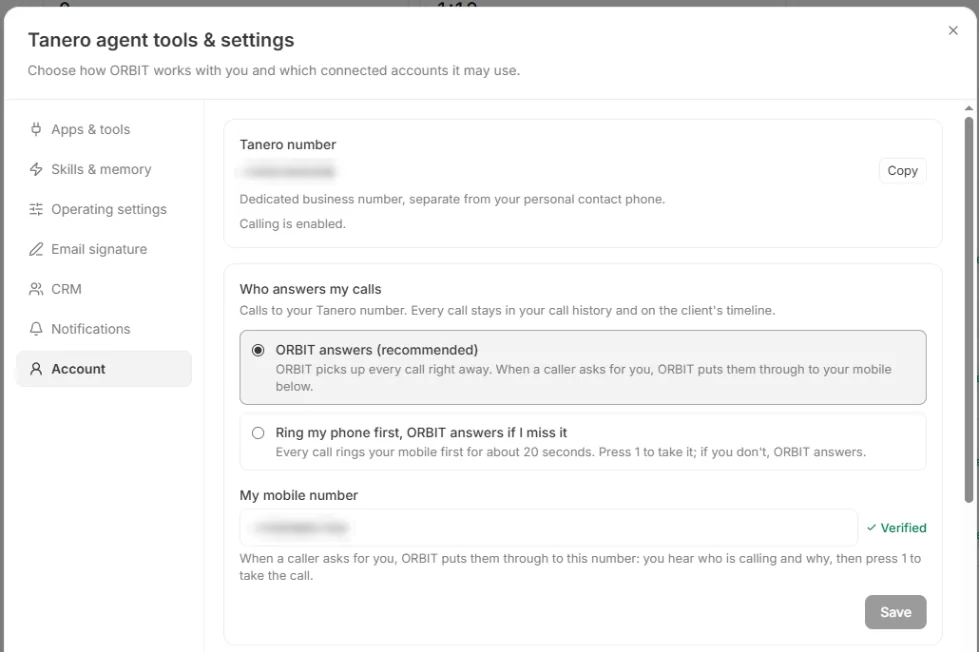
Once it is on, ORBIT answers at any hour. Your work schedule only limits when it books appointments.
When a caller asks for you
This is where ORBIT works like a great front desk, not a voicemail box:
- The caller asks to speak with you.
- ORBIT first gathers what matters: who is calling, what they need, which property.
- ORBIT puts the caller through to your mobile. Your phone rings, you hear who is calling and why, and you press 1 to talk to them live.
- If you do not take the call within 20 seconds, the caller goes back to ORBIT, which carries on: it answers questions, takes the message, confirms the callback number and can book the showing.
You walk into every conversation already knowing why the person called, and nobody waits on hold for you.
How ORBIT introduces itself
In Dialer → Settings → AI calling you set ORBIT's phone identity: your name, company name, contact phone, website, an optional assistant name, the call language, how it introduces itself (as your assistant, as an assistant, or as a company representative) and a female or male voice.
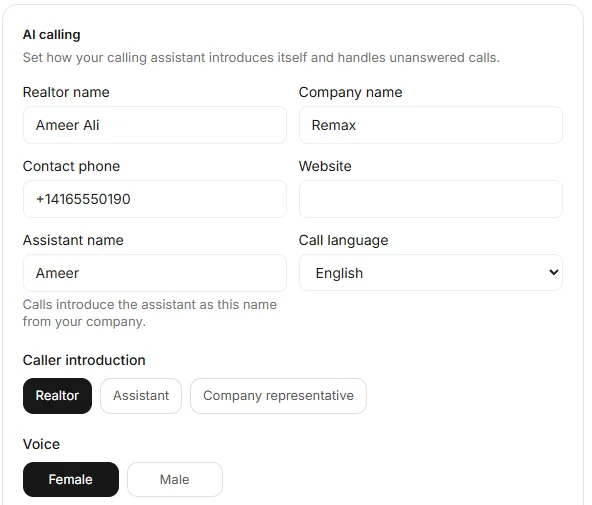
ORBIT starts in the call language you set and switches to the caller's language once they speak a full sentence in it. If a caller asks, it answers truthfully that it is an AI assistant.
After every call
When a call ends, ORBIT posts a plain-language summary in your Action Center and the bell tells you. The call, with its summary, transcript and recording, is in Call history and on the client's timeline, and new callers are added to your CRM as leads.

ORBIT calls clients for you
Tell ORBIT who to call and why, in plain words:
- "Call Sarah Chen and confirm Saturday's 11:00 showing."
- "Call everyone in VIP buyers about the new listing on Maple Crescent."
ORBIT calls people in your CRM, up to 100 in one request, paced at least 5 minutes apart. It introduces itself as your assistant, uses what your CRM knows about the client, can book appointments, and can put the client through to you if they ask. When each call ends, it reports back in the same conversation with the outcome, summary, transcript and recording.
ORBIT never calls anyone marked do not contact, and in Approval mode the calls wait for your OK in the Action Center first.
Your own calls: the browser dialer
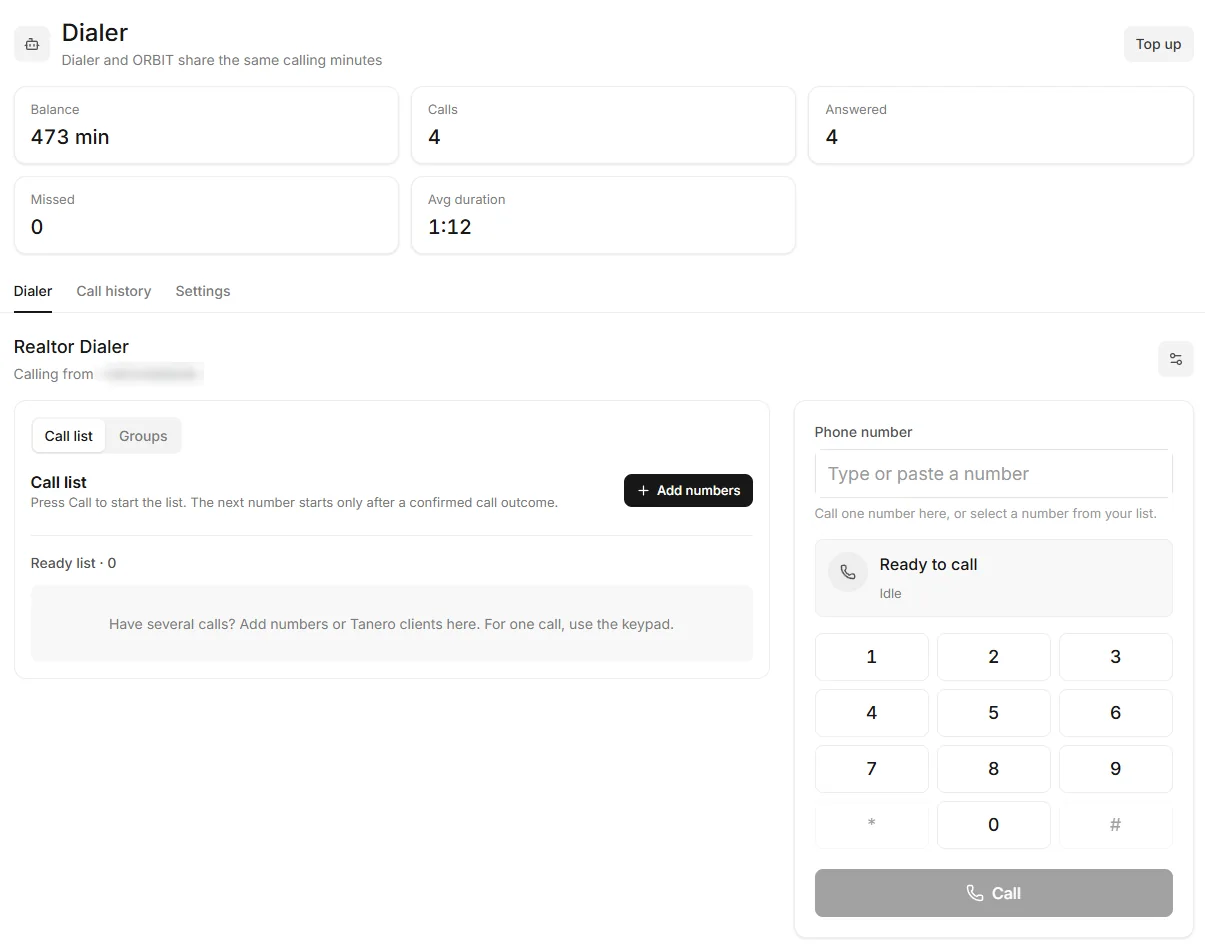
For the calls you want to make yourself, open Real estate → Dialer:
- Type a number or press Call on a lead in the CRM: the dialer fills in the number and never dials by itself.
- Work through a call list: paste numbers, pick Tanero clients or load a saved group. The next number starts only after you confirm the last call's outcome, with Pause, Skip and Stop.
- Keep up to 30 saved groups of up to 200 numbers each.
- Every dialer call is recorded and listed in Call history next to ORBIT's calls.
Call minutes in each plan
ORBIT's AI calls and your own dialer calls each have their own monthly minutes, so ORBIT never uses your dialer minutes:
- Solo (CA$349 a month): 30 ORBIT AI call minutes and 400 dialer minutes.
- Pro (CA$599 a month): 120 ORBIT AI call minutes and 800 dialer minutes.
- Ultra (CA$999 a month): 250 ORBIT AI call minutes and 1,200 dialer minutes.
Only connected calls count, per started minute. When minutes run out, you can add prepaid minutes, and incoming callers can still leave a recorded message. See the pricing page.
Questions realtors ask about ORBIT's calls
Which languages does ORBIT speak on calls?
More than 100. It starts in the call language you set and switches to the caller's language once they speak a full sentence in it.
Can my own phone ring first?
Yes. Choose Ring my phone first, ORBIT answers if I miss it. Your verified mobile rings for about 20 seconds; press 1 to take the call, or ORBIT answers.
What happens if I am in a showing when a caller asks for me?
ORBIT puts the caller through to your mobile. If you do not take the call within 20 seconds, the caller goes back to ORBIT, which takes the message, confirms the callback number and can book the next step.
Does ORBIT tell callers it is an AI?
It introduces itself as your assistant, with the name you set. If a caller asks, it answers truthfully that it is an AI assistant.
Are calls recorded?
Yes. Answered calls and dialer calls are recorded, transcribed and summarized, and you can play each recording in Call history.
Do I get a new phone number?
Yes. Your dedicated local Tanero number is assigned after your first paid invoice and shows in the account menu at the bottom of the sidebar.
Can ORBIT book a showing during the call?
Yes, inside your work schedule and booking rules. Set them in Calendar and booking rules.
New to Tanero? Start with What is Tanero?, see the answering service and AI calls pages, or sign up and be live in under 5 minutes.